Contents
A WhatsApp autoresponder is a system that automatically responds to an inbound WhatsApp message or an enquiry made to your business from an external platform. It usually works by sending a predefined response when a specific trigger occurs.
According to a recent study, delaying a response from 5 minutes to 30 minutes on WhatsApp decreases lead qualification odds by 21-fold.
If WhatsApp is where your important business conversations happen, a WhatsApp autoresponder can help you respond faster and keep leads engaged when you’re unavailable or handling a large volume of enquiries, so fewer opportunities slip through the cracks.
An autoresponder reduces repetitive work for your team so they can focus more on important conversations that need human touch. Additionally, as your business scales and customer enquiries increase, an autoresponder can help you manage your sales process smoothly without staining your budget or compromising new leads.
This comprehensive guide will explain everything you need to know about WhatsApp autoresponder, how to set it up, and how to use it to turn more leads into customers on WhatsApp.
What is a WhatsApp autoresponder?
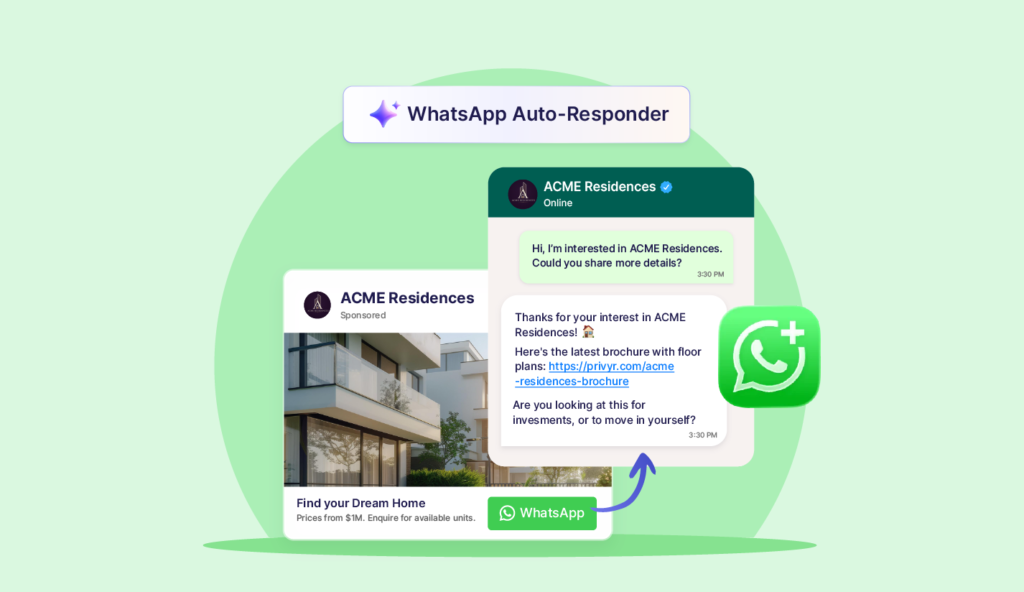
Imagine you run Click-to-WhatsApp Ads across different time zones or launch a WhatsApp campaign that generates enquiries around the clock.
A potential customer could message you at 2 am, when no one on your team is available to respond. Or you could receive a large number of enquiries while your team is busy handling important sales communications, unable to respond to new messages promptly.
By the time you acknowledge the enquiry several hours later, the lead may have lost interest, forgotten why they contacted you, or already started a conversation with a competitor who replied sooner.
A WhatsApp autoresponder helps close that gap by responding immediately, even when you are unavailable. But an autoresponder can do far more than simply send a generic reply.
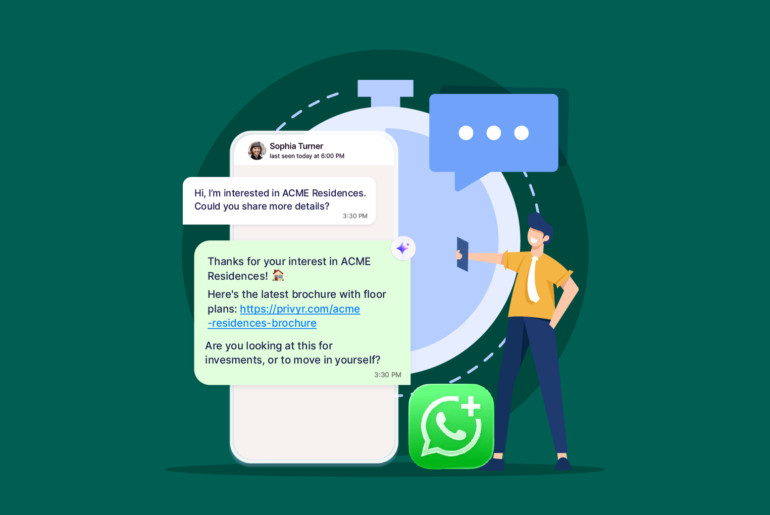
At its simplest, an autoresponder can acknowledge the enquiry, set expectations and let the lead know someone from your team will respond when available. It can also send a relevant response based on the enquiry. For instance, send a brochure when someone asks for more information, share pricing details when they ask about cost, or provide the appropriate next step based on their message.
This keeps the conversation moving until you or your team can take over personally.
More advanced autoresponders like Privyr’s WhatsApp Auto-Responder can use different rules, keywords, lead details or message context to decide what to respond with. Depending on the configuration, they can:
- Send different replies for different products, campaigns or enquiry types,
- Ask basic qualification questions,
- share documents, links, pricing or booking options,
- Answer common customer-service questions,
- Trigger follow-up actions based on the person’s response.
Additionally, some AI-powered autoresponders like Meta’s recently released Business AI (currently available only in India for select businesses) can respond to a wider range of questions. Other advanced ones can interpret queries and generate responses based on those queries rather than relying entirely on predefined rules.
But this doesn’t mean every conversation should be automated. For important high-ticket sales enquiries, an autoresponder should only handle the first part of the interaction that includes responding immediately, providing the right information, and gathering a few useful details. Crucial conversations should be handled by the right sales representative.
In short, a WhatsApp autoresponder can be a simple system that sends a predefined reply whenever a message is received or it can be a sophisticated configuration that interprets the enquiry, identifies what information is needed, responds accordingly, and routes or hands the conversation over to the right rep.
If WhatsApp is a big part of your sales process, an autoresponder does more than just keep your leads and enquiries warm. It also helps your business scale by making it easier to manage a growing volume of enquiries, whether they come in organically or through marketing campaigns.
The right level of automation depends on what types of queries you want it to handle and how much control you want over the customer conversation.
What can a WhatsApp autoresponder respond to
Speed to lead is one of the most important disciplines of sales, especially in the modern context when your customers have plenty of choices and they expect a fast response to their queries. Whether they message you directly on WhatsApp or fill out your form online, they want you to contact them immediately and decide.
But it might not always be possible to respond to each and every query promptly. Your team may be outside the working hours. You may be sleeping, or commuting. A WhatsApp autoresponder can close this gap by automatically responding to incoming queries or interests.
At a broad level, you’ll want your WhatsApp autoresponder to handle two kinds of enquiries: people who contact you directly on WhatsApp and new leads who enquire through another platform but can then be contacted on WhatsApp.
1. Inbound enquiries
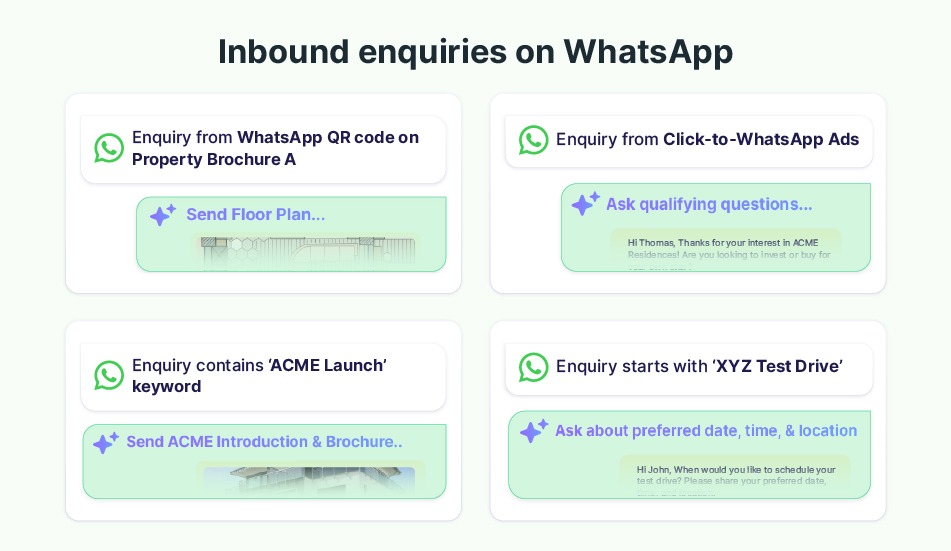
An inbound enquiry is one where the customer or lead starts the conversation by messaging your business on WhatsApp. This can happen through several routes. For instance, someone can find your WhatsApp number on your website and message you. Or, a previous customer can open an existing WhatsApp conversation and ask a new question. Similarly,
- People can send you messages after scanning your WhatsApp QR code.
- They can tap a WhatsApp button on your website or social profile and start a conversation.
- If you’re running a Click-to-WhatsApp Ad, people can send you messages on WhatsApp through that route.
- Your customers can reply to a WhatsApp campaign or previously sent business message or respond to an appointment reminder, order update or other WhatsApp notification.
Since someone has already initiated the conversation, an autoresponder can be useful for attending them immediately when you or your team isn’t available to respond depending on the queries.
Common types of inbound WhatsApp enquiries include:
- General business enquiries
- Product or service enquiries
- Pricing enquiries
- Brochure, catalogue or information requests
- Availability enquiries
- Opening hours and location enquiries
- Booking and appointment enquiries
- Click-to-WhatsApp Ad enquiries
- Replies to campaigns and previous messages
Depending on how you want to handle each inbound enquiry, you can set up a normal autoresponder for message acknowledgement or an advanced autoresponder for enquiry specific automated response.
2. New leads from external sources
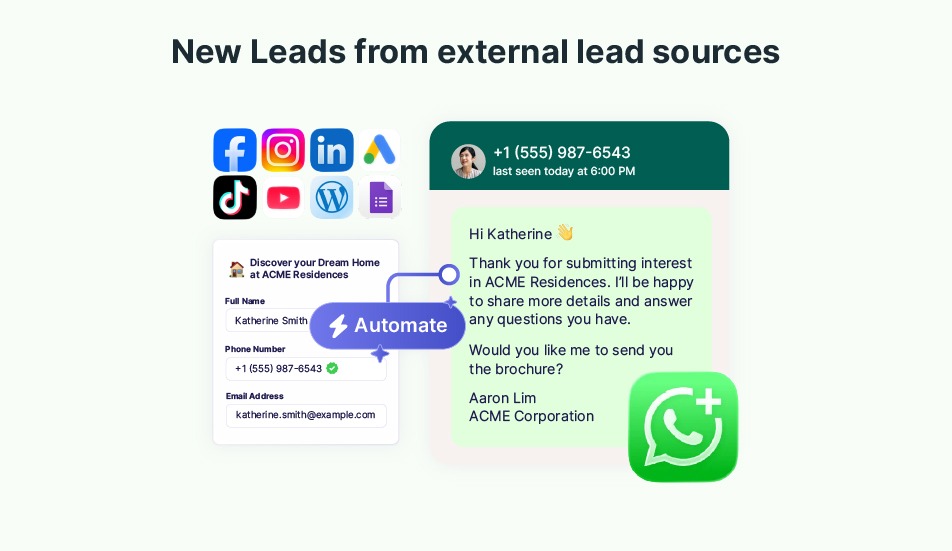
A new-lead autoresponder works slightly differently. In this case, the lead makes the initial enquiry outside WhatsApp, for instance, by filling out and submitting a form on a lead ad form you’re running. Once they complete the process, their details are then passed to a connected system, like a CRM, which can use the enquiry to start the appropriate WhatsApp follow-up.
Common sources include Meta Lead Ads, Google lead forms, TikTok Lead Generation Ads, LinkedIn Lead Gen Forms, website contact forms, property portals, automotive marketplaces, etc.
Let’s suppose you’re running a Facebook Lead Ad campaign.
Someone sees your property advert, gets interested, and submits the lead form with their personal details.
Instead of waiting for a salesperson to go through a process of identifying the new lead, copying the phone number, opening their WhatsApp, and writing the message, a connected autoresponder can use the information submitted with the lead to send the appropriate WhatsApp response. It can even create a sequence for consecutive follow up messages until the lead replies.
Keep in mind, an external lead appearing in your CRM or Lead Ads account does not automatically mean you can send any WhatsApp message you want. The relevant WhatsApp consent, template and messaging requirements still apply.
Overall, you use an inbound autoresponder to react to an active WhatsApp conversation, while a new-lead autoresponder helps you move a newly generated enquiry into WhatsApp quickly through your message.
- Triggered by an event outside WhatsApp.
- The lead does not necessarily message you on WhatsApp first.
- Common triggers:
- Facebook Lead Ad submission
- website enquiry
- Google lead form
- property portal enquiry
- Useful for contacting new sales leads immediately after they enquire.
Types of WhatsApp autoresponders
You can set up different types of WhatsApp autoresponders depending on how you want it to handle incoming enquiries. At the most basic level, an autoresponder can send the same predefined message to everyone who contacts you. More advanced systems can respond differently based on the enquiry, while AI-powered chatbots can interpret the conversation and generate a response.
1. WhatsApp Business auto-reply for basic automated replies
The WhatsApp Business App includes basic built-in auto-reply functionality for businesses that don’t need complex messaging automation.
Auto-replies are mainly designed to acknowledge incoming WhatsApp messages rather than understand what the customer is asking and responding accordingly.
The two main built-in options on WhatsApp Business are Greeting Messages and Away Messages. These provide simple, predictable responses without needing to connect WhatsApp to an external platform.
Greeting Messages
A Greeting Message automatically sends a welcome message to an inbound enquiry.
You can set it up to immediately acknowledge the inbound enquiry. For instance, replying all inbound enquiries with: “Thanks for contacting ABC Properties. How can we help you today?.” Or you can respond with useful information before someone from your team responds.
For instance,
“Thanks for contacting ACME Properties. Please send us the name of the development you’re interested in and we’ll help you with availability and pricing.”
Greeting messages are useful for welcoming new enquiries, introducing your business, confirming that the enquiry has reached the right business, setting expectations about how the conversation will continue, and directing customers towards common next steps.
Since it’s not an advanced automation, Greeting Message can’t analyse each enquiry and respond based on what the enquiry is about. It is primarily a predefined welcome response, meaning someone asking for pricing and someone requesting a brochure will receive the same greeting.
Away Messages
Just like Greeting Message, you can set up an Away Message to automatically respond to new queries when you are unavailable but this one is used to let the person know the team is away and when they can expect a response.
On WhatsApp Business, you can schedule an Away Message to send all the time, during a custom period, or outside your defined business hours. You can also control which contacts receive it.
For example an away message can typically look like:
“Thanks for messaging us. We are currently offline. One of our team members will contact you at 9 am tomorrow when we’ll be back.”
Away Messages can be useful for automatically responding to enquiries when your team is unavailable to respond immediately. However, like Greeting Messages, an Away Message is still essentially a fixed response. It replies to all inbound enquiries with the same response.
Note: Quick Replies should not be confused with auto-replies. Quick Replies are saved messages that help you respond faster, but you still have to select and send them manually.
Also, keep in mind that WhatsApp Business Auto-Reply only works with inbound enquiries on WhatsApp. To be able to automatically respond to leads from external sources, such as leads ads or website forms, you need to integrate workflows of an additional automation tool like Privyr with WhatsApp.
2. Rule-based autoresponder
A rule-based autoresponder lets you decide how to respond to specific enquiries. Instead of sending the same message to every enquiry, you define conditions and decide exactly what response should be sent when those conditions are met.
For example:
- If a customer asks for a brochure, send the brochure
- If a customer asks about pricing, send the price card
- If customer is interested in Product A, send Product A information
- If a lead comes from Campaign A, use the response created for Campaign A
- If the lead selects “Request a viewing,” send viewing information.
Rules can potentially use information such as keywords or phrases, enquiry type, lead source, advertising campaign, product or service, and more in an incoming message to set up appropriate responses.
You can also set response rules based on keywords. For example, if a message contains a “brochure,” send a brochure response. You can define both the condition and the response.
Sophisticated rules can use several pieces of information together. For example, If the lead is interested in Development A + requested a brochure, send Development A brochure. Some rule-based autoresponders also use AI to interpret enquiries more intelligently while still following predefined rules for how and when to respond.
Rule-based autoresponders are usually configured with an automation tool or a CRM, and they generally allow you to set up autoresponders for new leads coming from external sources as well. This is an advanced feature WhatsApp Business doesn’t provide.
Let’s say a new lead submits a Facebook Lead form for Property A but doesn’t message you on WhatsApp. With rule-based autoresponder, you can set up your system with a CRM integrated with your Facebook to automatically send that lead relevant Property A information on WhatsApp as soon as it is registered. A regular WhatsApp auto-reply, by contrast, only responds after someone has already messaged your business on WhatsApp.
The same principle can be applied to leads from websites, lead forms, landing pages and other connected platforms.
3. Chatbot autoresponder
You can also set up a WhatsApp auto reply bot to respond to general inbound queries. You usually need a third-party platform that handles WhatsApp API integration to set up a chatbot. Some modern chatbots come with AI capabilities that can analyse each inbound enquiry and determine how to respond to incoming enquiries.
Chatbot autoresponders can be useful for:
- Answering FAQs,
- Handling basic customer support,
- Answering a large volume of repetitive enquiries,
- Directing people to relevant information,
- Handling conversations where it would be difficult to create a rule for every possible question.
However, there are a few things to consider before automating your WhatsApp responses with chatbots.
When you use chatbots to qualify leads and move them through your sales funnel, you give up some control over the customer engagement. Even an AI-powered chatbot can’t handle every lead the way an experienced sales representative can, especially when dealing with high-value prospects, highly specific questions, or important negotiations.
The longer an important sales conversation remains fully automated, the greater the risk of losing a valuable lead. When prospects are making significant purchasing decisions or discussing sensitive details, they often want to speak with a real person. With chatbots, that personal touch can be limited.
Chatbots are best suited for handling general inquiries, answering frequently asked questions, and providing routine customer support. For sales conversations, it is usually better to give them limited control and hand qualified leads over to a human sales representative at the right moment. Alternatively, you can use an AI-powered, rule-based autoresponder that automates repetitive responses while allowing you to maintain greater control over the sales conversation.
Rule-based autoresponder vs AI chatbot: Which should you choose?
Rule-based autoresponders and AI chatbots both come with their own advantages and drawbacks. What you need depends on how much control you want over the conversation.
If you’re a high-ticket B2C business, you want the autoresponder to handle the predictable part of the interaction, while a human handles the part that requires judgement, persuasion and relationship-building.
Let’s say you’re a property agent running property promotions across different platforms, and someone enquires about a $500,000 property. To ensure your lead stays warm, you may want automation to immediately send the correct brochure and perhaps ask for their preferred viewing date. However, you probably do not want your autoresponder to independently negotiate the property purchase or handle nuanced objections.
The table below explains the difference between rule-based WhatsApp autoresponder and AI chatbots:
| Rule-based WhatsApp autoresponder | AI-powered autoresponder chatbot | |
| Response style | Sends a predefined response when a specific trigger or condition is met. | Interprets the customer’s message and decides how to respond. |
| Control over messaging | High. You decide exactly what message is sent in each scenario. | Lower. The AI may have more freedom to determine or generate the response. |
| Predictability | Responses are consistent and predictable. | Responses can vary depending on how the AI interprets the conversation. |
| Tone and sales messaging | Easier to control your tone, offers, pricing information and sales messaging. | Requires more oversight to ensure responses consistently match your intended messaging. |
| Types of enquiries handled | Best for known, predictable enquiries such as pricing requests, brochure requests, availability or next steps. | Better at handling a wider variety of questions and conversational inputs. |
| Human handover | You can clearly define when automation stops and a salesperson takes over. | The chatbot may continue handling the conversation unless handover rules are configured. |
| Role of automation | Supports the salesperson by handling the immediate, repetitive part of the conversation. | Can automate a larger portion of the conversation itself. |
| Best suited for | High-value sales where speed matters, but handling important conversations personally is important. | High-volume conversations where reducing human workload is a bigger priority. |
| Main advantage | Speed without giving up control. | Greater conversational automation and scalability. |
| Potential drawback | Requires you to define the relevant triggers and responses in advance. | Gives you less control over exactly what is said and may automate conversations better handled by a person. |
Which WhatsApp platforms support WhatsApp Autoresponder
If you’re looking to set up an autoresponder WhatsApp, you need at least a WhatsApp Business app as personal WhatsApp apps don’t support automations. For advanced automations, you need to configure WhatsApp Business API with automation tools.
Tools like Privyr allow you to set up an autoresponder on your WhatsApp Business app through coexistence for a simple autoresponder setup without API complexities.
Here’s what to expect from each WhatsApp platform:
WhatsApp Personal
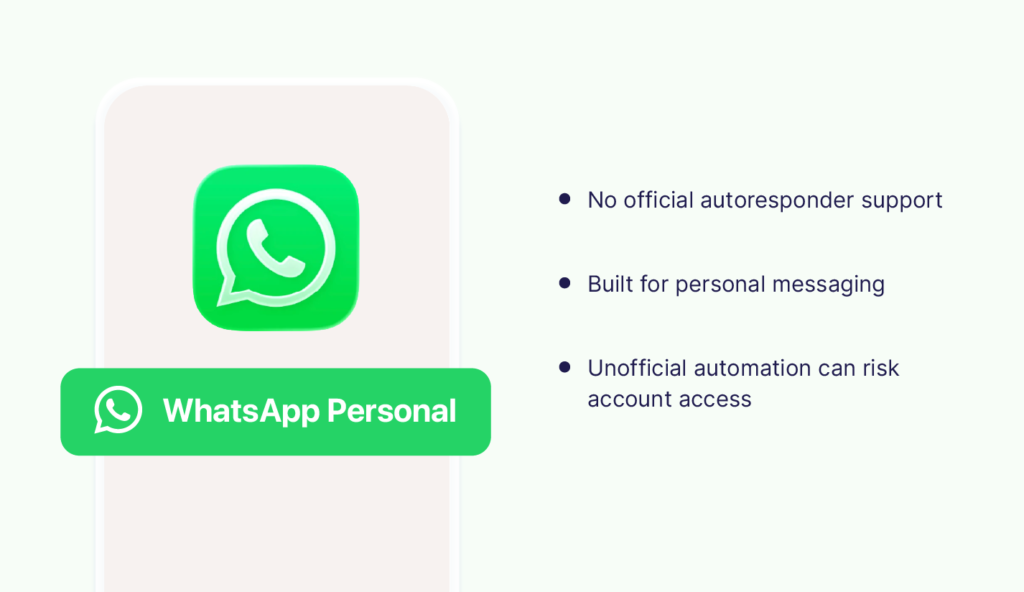
Personal WhatsApp app is designed for individual messaging and does not include built-in business autoresponder features. You can’t set up any type of official autoresponder on your personal WhatsApp app. That being said, some unauthorised apps may allow you to automate chats on your personal WhatsApp app. However, using them goes against WhatsApp’s Terms of Service, and you may lose access to your WhatsApp account.
If you want to automate replies for business use, switch to WhatsApp Business. It’s pretty easy to do so, and you get basic built-in automation while opening the door to more advanced automation through external tools.
WhatsApp Business
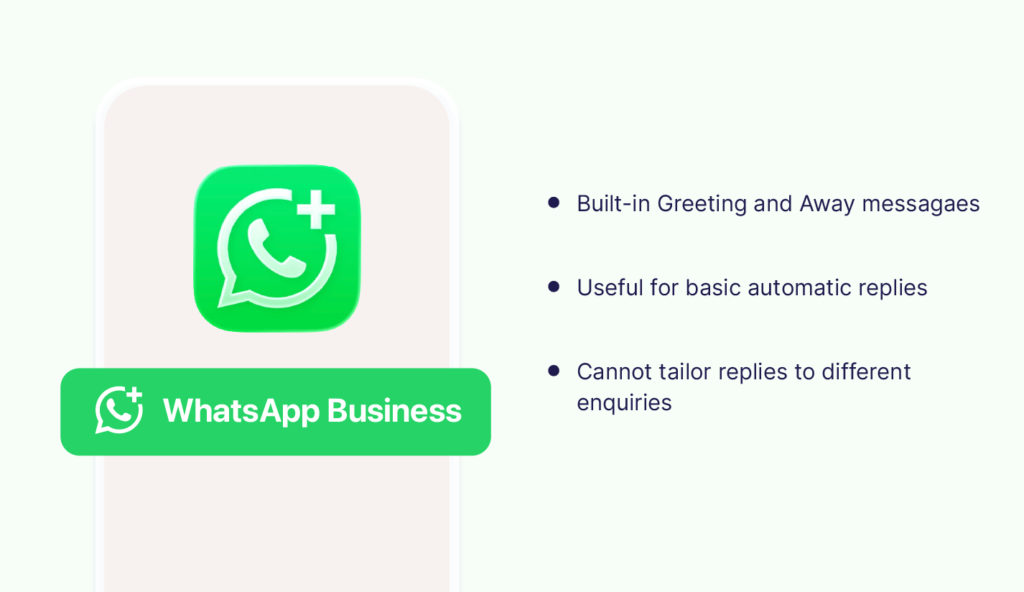
WhatsApp Business comes with a built-in auto-reply feature that allows you to set up automatic Greeting Messages and Away Messages. You can automatically welcome someone who messages you or let them know when you are available.
Auto reply on WhatsApp Business is fairly a basic feature. It does not analyse different enquiries and send a tailored response for each one.
So, if one customer asks for pricing and another asks for a brochure, a basic WhatsApp Business auto-reply will send both of them the same message. Nevertheless, these can be useful to acknowledge enquiries that come at times you’re not available to respond.
WhatsApp coexistence
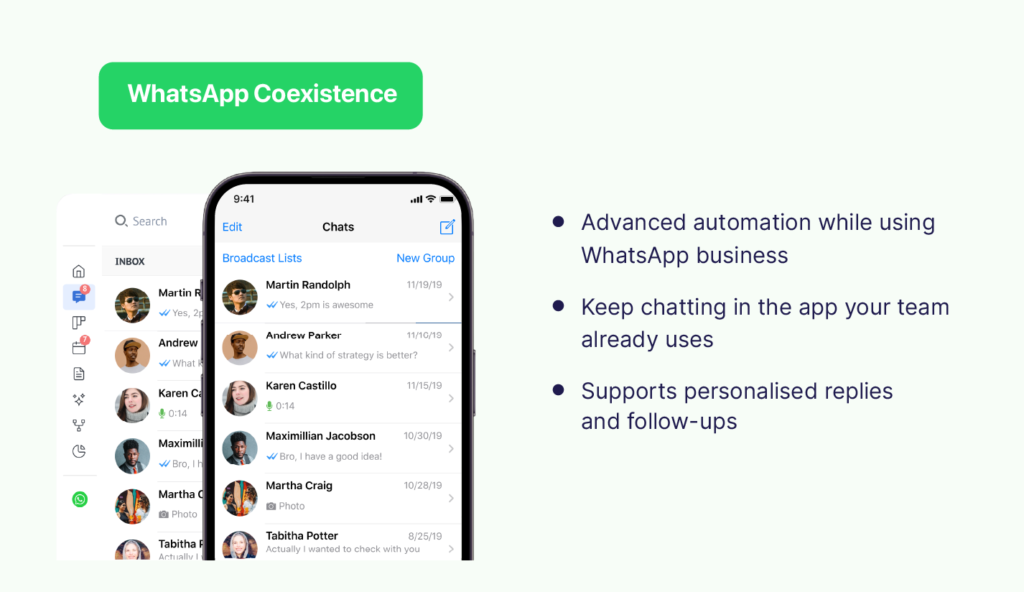
WhatsApp Coexistence, helps you achieve advanced automation without adopting an API-only workflow. Instead of managing customer conversations exclusively through a CRM or shared inbox, your automation can run in the background while your team continues messaging from WhatsApp Business as usual.
With coexistence, you can connect your existing WhatsApp Business app to the WhatsApp Business Platform (WhatsApp API) while continuing to use your WhatsApp Business as usual with the same.
You can add API-powered automation without moving all your conversations to a separate inbox or giving up the WhatsApp Business interface your team already uses.
You need a Coexistence-compatible tool like Privyr to access many of the same automation capabilities associated with the WhatsApp Business API, including:
- Autoresponding to new leads,
- Sending personalised automated messages,
- Creating follow-up sequences,
- Monitoring conversations, and more.
WhatsApp Business API
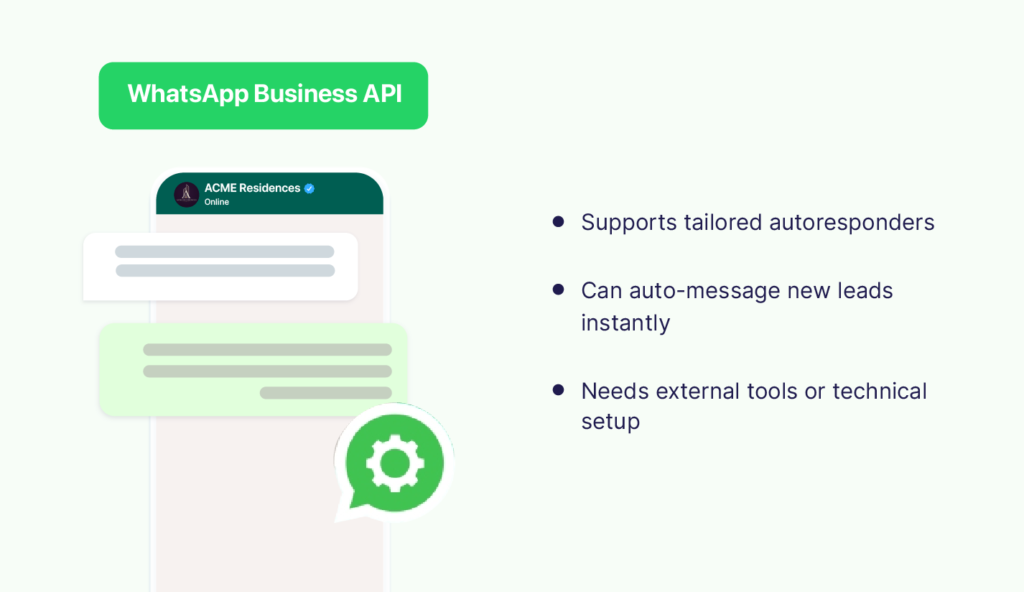
The WhatsApp Business Platform or WhatsApp Business API supports setting up a tailored autoresponder. You may need multiple tools and complex configuration to set it up.
API is the infrastructure. You’ll need an external tool or a custom system to set up a WhatsApp Autoresponder through the API. A custom API implementation may require technical configuration. If you have limited technical expertise, use tools like Privyr that can get the exact same thing done through coexistence without needing to go through a complex process of APIs.
WhatsApp Business Auto-reply vs rule-based WhatsApp Autoresponder
Not every business needs an advanced autoresponder for WhatsApp. If your main concern is simply missing messages outside working hours, a basic auto-reply may be enough to acknowledge the enquiry, share your opening hours, and let customers know when they can expect a response.
But the needs change when you’re running WhatsApp campaigns or generating leads from multiple sources. In those cases, you’ll need a more capable autoresponder that can respond quickly, recognise different enquiry types, send the right information, and help keep leads engaged until your team members can take over personally.
If you’re looking to set up a WhatsApp autoresponder, you want to know if the built-in, simple auto reply works for you or if you need an advanced one. Here are the main differences you want to know:
| Feature | WhatsApp Business auto-reply | Rule-based WhatsApp autoresponder |
| Main purpose | Send a basic automatic reply | Send a relevant response based on the enquiry |
| Auto response | Inbound WhatsApp message | Inbound WhatsApp messages, leads generated on external sources |
| Built into WhatsApp Business | Yes | No. Requires an external tool |
| Greeting messages | Yes | Yes |
| Away messages | Yes | Yes, often with more flexible rules |
| Respond to external leads | No, not natively | Yes |
| Different responses for different enquiries | Very limited | Yes |
| Personalisation | Basic | Can use details such as name, product, campaign, location, or lead source |
| Rule-based responses | Limited | Yes |
| Keyword-based responses | No | Supported (based on tools) |
| Send relevant brochures or information automatically | Not built for sending brochures or custom replies | Yes |
| Human handover | Conversation is already handled manually after the reply | Can automate the first steps and then hand over to a rep |
| Best suited for | Basic acknowledgement and availability messages | Sales, lead follow-up, qualification, routing, and tailored engagements |
How to setup a WhatsApp autoresponder
You can set up a WhatsApp autoresponder in a few different ways. Depending on the level of automation you want you may need additional tools to support the process. Here’s are the most common ways:
Set up an auto-reply in WhatsApp Business
Setup: WhatsApp Business
External tools: None required
If you only need a basic Greeting or Away Message, you can set it up directly inside the WhatsApp Business app without connecting an external tool. Here’s how to do it:
For an Away Message:
- Go to settings > Business Tools on WhatsApp Business.
- Select Away message.
- Turn on Send away message.
- Write the message you want customers to receive.
- Choose when it should be sent:
- always,
- during a custom period,
- outside your business hours.
- Choose which contacts should receive it.
- Save your settings.
WhatsApp provides a similar setup for Greeting Messages.
From the Business Tools tab, select Greeting Message, turn it on, write your message, and choose which recipients should receive it. Greeting Messages can automatically be sent to the very first enquiries as well as to someone who messages again after a period of inactivity.
Best suited for: businesses that simply want to acknowledge incoming WhatsApp messages, welcome new contacts, or tell customers when someone will be available.
2. Set up a rule-based autoresponder with a sales tool or CRM
Platform: WhatsApp Business (with coexistence) or CRM (configured with WhatsApp API)
External tools: An automation tool or a CRM, Lead sources
If you want each inbound enquiry to receive a tailored response, or you want to automatically WhatsApp new leads coming from external lead sources, you’ll need a tool that connects those enquiries to WhatsApp.
The exact steps vary by platform, but tools that work with WhatsApp coexistence usually allow you to set up an autoresponder on your WhatsApp Business. All you need to do is connect your business number to the CRM and configure a few steps. This automation only works with inbound WhatsApp enquiries.
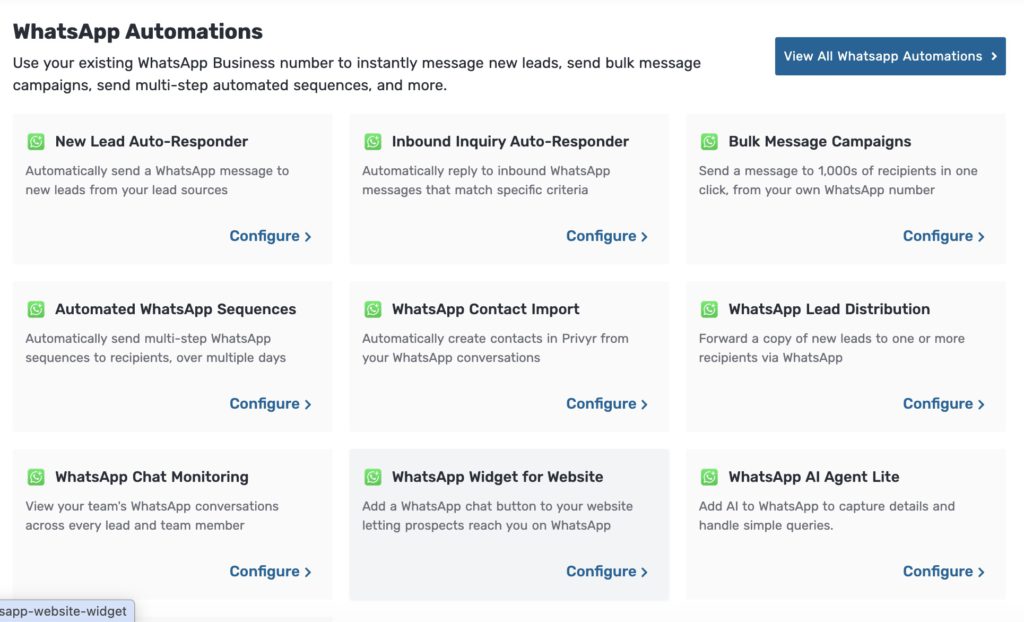
Here’s how to set up a WhatsApp autoresponder using Privyr:
- On Privyr Web, go to your Automations tab.
- Select WhatsApp Automations and go to Inbound Inquiry Auto-Responder.
- Connect your existing WhatsApp Business number if you haven’t already
- Click Create Rule.
- Set your trigger and automated response.
- Create as many rules as you need for the enquiries you commonly receive.
You may technically be using the WhatsApp Business Platform/API here, but that doesn’t necessarily mean configuring an API yourself. Privyr handles the connection for you and, through Coexistence, lets you continue using your existing WhatsApp Business app and number.
If you want to create an autoresponder that automatically WhatsApps your leads coming from external lead sources, you’ll need a different configuration. You’ll first need to connect your WhatsApp Business number with Privyr, then connect your lead source (like Facebook) and configure a few steps. This can be a bit more technical than setting up a rule-based autoresponder for incoming enquiries because it involves several platforms and integrations.
Apart from automatically reaching out to new leads on WhatsApp, this Privyr autoresponder also creates automatic WhatsApp follow up Sequences that sends follow up messages at different time intervals and hands over the conversation to a rep once the lead replies.
Best suited for: sales teams that want to respond instantly but still control exactly what gets sent. If you generate leads from several sources, have predictable enquiry types, or want automation to start the conversation without replacing the salesperson, this autoresponder setup fits your workflow perfectly.
3. Set up autoresponder with an AI chatbot
Platform: Chatbot or CRM (configured with WhatsApp Business API)
External tool(s): AI agent platform, CRM, Lead sources
If you want to set up an autoresponder that interprets a wider range of customer questions and decides how to respond, use an AI chatbot or AI agent platform connected to WhatsApp. You can set up the AI chatbot to respond to inbound enquiries as well as automatically respond to new leads generated on lead sources.
The setup is usually involves the following:
- Choose a WhatsApp-compatible AI chatbot or conversational platform.
- Connect your WhatsApp Business number to the WhatsApp Business Platform/API.
- Create the AI agent or chatbot.
- Define its role and instructions, such as what questions it should answer, its tone, what it should never say, and when it should hand the conversation over to a person.
- Give it approved information to work from, such as:
- FAQs,
- product information,
- pricing,
- brochures,
- policies,
- help-centre articles,
- service information, etc.
- Configure actions and handover rules. For example, the AI might answer basic questions but transfer pricing negotiations, complaints, or high-intent sales leads to a person.
- Test different conversations before allowing customers to interact with it.
- Publish the AI agent.
This setup only works with inbound enquiries in WhatsApp. If you want to set up automated responses for new leads from external lead sources you’ll need a more advanced configuration and integration with lead sources.
Best suited for: Businesses that receive high volumes of repetitive questions or want to automate a larger part of their WhatsApp conversations.
The WhatsApp 24-hour rule you should know before setting up an autoresponder
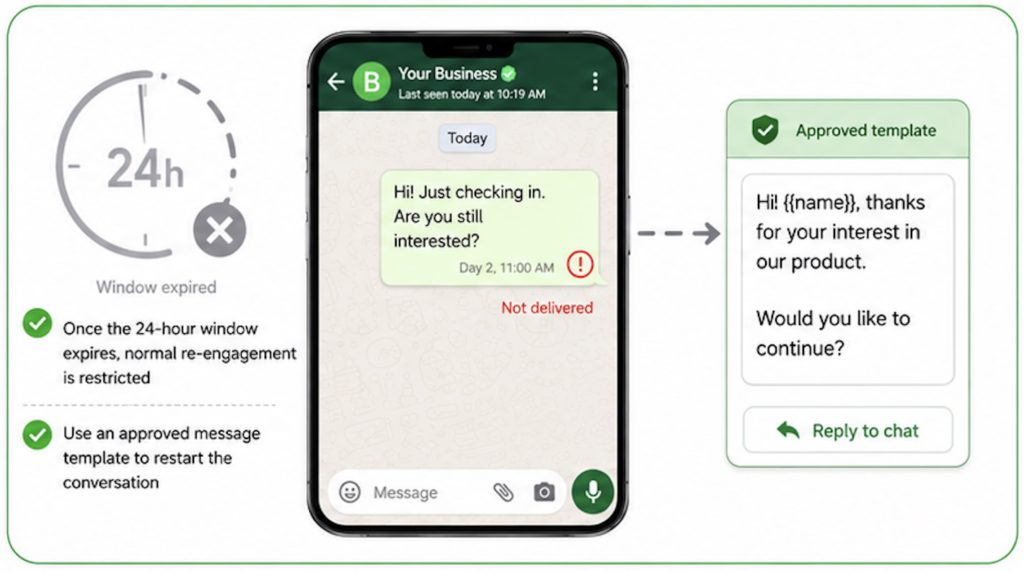
Before you set up a WhatsApp autoresponder, it helps to understand the 24-hour customer service window.
When a customer messages your business, a 24-hour window opens from their most recent message. During that period, you can reply to them freely. Your autoresponder can respond naturally to follow-up questions or continue the conversation.
If the customer does not message again and that 24-hour window expires, you generally need to use an approved WhatsApp message template to re-engage them. In other words, business-initiated WhatsApp automation is not unlimited. You still need to follow WhatsApp’s rules around message templates, consent, and when you are allowed to contact someone.
For autoresponder setup, this means you should think about when the automation is likely to fire. An inbound reply inside an active 24-hour window gives you more flexibility. However, a delayed follow-up or externally triggered message may need to use an approved template.
When should you automate a WhatsApp Conversation
The best time to automate a WhatsApp conversation is when your priority is speed and consistency, rather than negotiation.
If speed-to-lead matters in your sales process, an autoresponder can be highly useful when your team cannot reply immediately. Its job is to prevent the conversation from stalling by giving the lead something useful straight away and moving them towards the next step.
Autoresponders can also be highly useful in effectively managing a large volume of enquiry coming in from your campaigns. Sometimes your campaigns can generate more enquiries than your team can respond to immediately. An autoresponder can instantly acknowledge each enquiry and set expectations for the next step, allowing your reps to handle the following process without being overwhelmed.
Autoresponders can be useful for:
- Acknowledging a new enquiry immediately,
- Confirming that a form or lead request was received,
- Sending information the lead has explicitly asked for, such as a brochure, price list, or service details
- Asking a few predictable qualification questions, such as budget, location, timeline, or product interest,
- Providing booking links or basic next steps,
- Explaining when a salesperson will be available,
- Handling a large volume of enquiries from your campaigns, especially when your reps can’t take care of each one immediately.
However, if the conversation requires context, judgement, trust, or persuasion, it’s usually better handled personally by real humans. It may include, detailed product or service discussions, understanding nuanced customer needs, negotiating price, and high-intent buying conversations where the customer is close to making a decision.
A practical rule is to automate the predictable parts of the conversation while the salesperson handles the part that requires creating value.
An ideal autoresponder shouldn’t handle your entire sales conversations. It should respond quickly, give the lead what they need to keep moving, collect useful context, and then hand the conversation over to a rep when human judgement matters.
When not to use WhatsApp Autoresponder
WhatsApp autoresponder can be an amazing feature to add to your WhatsApp communication toolkit. However, using it in wrong situations can break user trust and hurt your progress. Here are some important situations where you should avoid using WhatsApp Autoresponder:
During live conversations: Your customers prefer interacting with humans, especially when they are in the later stages of the sales process. If you or someone from your team is already in an active chat with a customer, using an autoresponder to continue the chat can be a bad idea. It will disrupt the flow and possibly annoy the customer.
For generic announcements: Automatically responding to general enquiries with blanket promotional messages may not land well with most leads. Not only can this annoy customers, but it may also prompt them to report your messages as spam.
When you lack branching logic: If your autoresponder lacks branching logic, avoid using it to send repeated replies. This is especially important when you’re relying on the basic auto-reply feature in WhatsApp Business. Sending the same generic message to the same customer multiple times can become frustrating. Disable repeated responses to the same person, and avoid using this type of autoresponder in customer support channels.
In group chats: Group conversations move fast and involve multiple participants. Using an autoresponder can interrupt discussions, respond out of context, and create unnecessary noise. Reacting automatically to multiple messages in a group can feel like spam and frustrate participants. Autoresponders work better when the communication is personal.
WhatsApp autoresponder vs WhatsApp automation
A WhatsApp autoresponder takes care of one specific job: automatically sending a response when an enquiry or defined event occurs. That could mean replying to an incoming WhatsApp message, responding to a keyword, or sending a WhatsApp message after a new lead submits a form on another platform.
WhatsApp automation, on the other hand, is the broader category. It includes autoresponders, but also covers other automated tasks such as reminders, lead assignment, campaign messaging, CRM updates, notifications, and workflow actions that may happen before, during, or after a WhatsApp conversation.
So the simplest way to think about it is that WhatsApp autoresponder is only about automated messaging, while WhatsApp automation is the wider system that includes automated messaging and workflow actions.
An autoresponder is a type of WhatsApp automation focused on helping you respond faster and keep the conversation moving.
WhatsApp autoresponder triggers
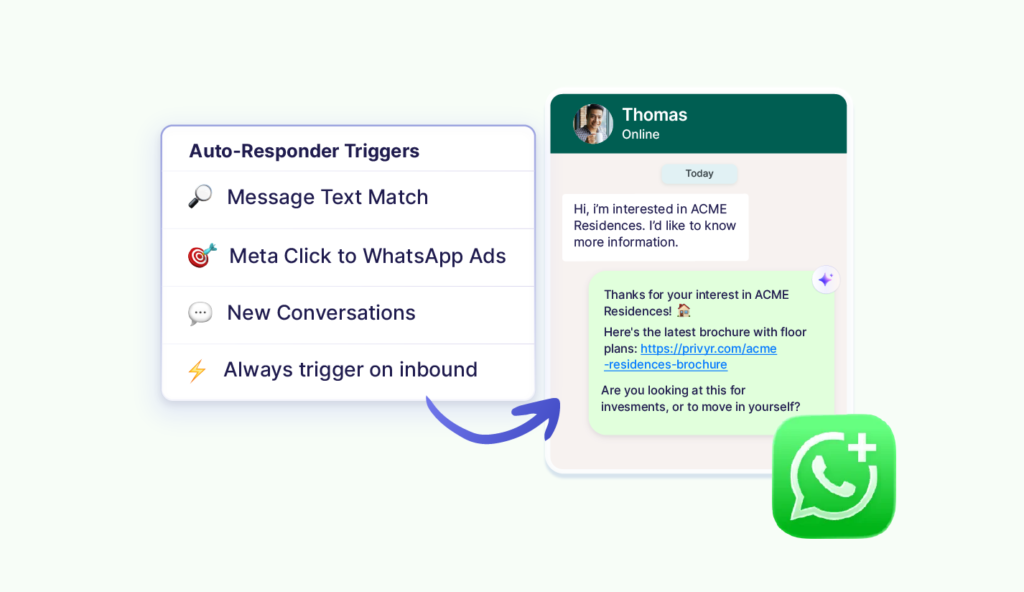
If you’re setting up an autoresponder on WhatsApp, it helps to understand triggers. In simple terms, the trigger is what starts the automation. Once it happens, the autoresponder follows the rule you’ve set and sends the appropriate message or takes the next action. Here are a few triggers you may want to be familiar with:
WhatsApp message triggers
- New inbound message
- First message from a contact
- Keyword or phrase
- Message received outside working hours
- Click-to-WhatsApp Meta Ads
External lead triggers
- Facebook Lead Ads
- Instagram Lead Ads
- Google lead forms
- TikTok Lead Generation
- LinkedIn Lead Gen Forms
- Website forms
- Landing pages
- Industry-specific lead portals
CRM and workflow triggers
- New lead created
- Lead assigned
- Lead reaches a specific stage
- Lead hasn’t responded to the last message in x days
When you’re setting up a rule-based autoresponder, you normally have one main trigger. You can then attach multiple conditions or filters to it for more accurate responses.
For example:
- Trigger: New WhatsApp message received
- Conditions: Message contains “brochure” AND customer is interested in Property A
- Action: Send the Property A brochure
Or
- Trigger: New WhatsApp message received
- Conditions: Message contains “price” OR “cost” OR “pricing”
- Action: Send pricing information
Features to expect from a WhatsApp autoresponder
When you’re setting up an advanced rule-based autoresponder on WhatsApp, you want it to do more than send a generic acknowledgement. You want it to help you respond quickly, tailor replies to the enquiry, connect WhatsApp with your lead sources (if you want to automatically respond to new leads), and make it easy for your team members to step in when needed.
Here are the features you should expect from an ideal autoresponder:
- Instant messaging after the trigger: The autoresponder should send the relevant message as soon as the defined event happens.
- Customisable response messages: You should be able to write and control the exact messages customers receive, rather than relying on fixed generic replies.
- Personalisation using lead details: Details such as the lead’s name, product interest, location, or form responses can make the message more relevant.
- Different messages for different campaigns, products, or locations: You should be able to create separate responses for different contexts. For example, leads from Property A can receive a different message from leads interested in Property B.
- Lead source integrations: If speed-to-lead is crucial, your autoresponder should be able to WhatsApp leads coming from external platforms like Facebook Lead Ads, Website forms, etc.
- Official WhatsApp-compatible messaging infrastructure: The autoresponder should use official WhatsApp Business Platform infrastructure rather than unofficial workarounds that risk reliability or account restrictions.
- AI functionality as an optional capability (but not a requirement): AI can be useful for interpreting varied questions or handling FAQs, but it should not be necessary for every use case. Rule-based automation is often enough when you want speed, consistency, and tighter control over what gets sent.
WhatApp autoresponder terminologies you want to know
- Auto-reply: Automatic response with welcome or greeting message (no customisation)
- Autoresponder: A system that sends a message after a trigger
- Trigger: The event that starts the automation.
- Condition: The rule that decides whether the automation should run.
- Action: What happens after the trigger.
- Workflow: The combination of triggers, conditions and actions.
- Greeting Message: Automatic welcome message.
- Away Message: Automatic response when you’re unavailable.
- Quick Reply: Saved but manually sent message.
- Chatbot: A system designed to manage an automated conversation.
- AI chatbot: A chatbot that uses AI to interpret and generate responses.
- Message template: A predefined WhatsApp message used for certain business messaging scenarios.
- Business-initiated message: Business starts the WhatsApp interaction.
- Customer-initiated conversation: Customer messages the business first.
How Privyr’s WhatsApp Auto-Responder makes autoresponding on WhatsApp effortless
Setting up an advanced autoresponder for WhatsApp can seem complicated, especially when it involves multiple platforms, API connections, and integrations. But if you’re using Privyr, much of that complexity is handled for you.
Privyr lets you connect your existing WhatsApp Business number without having to build or manage a separate WhatsApp API setup yourself. You can continue using the WhatsApp Business app as usual, while Privyr handles the automation in the background. Automated messages are sent from the same business number, and you can view and continue those conversations directly in WhatsApp Business.
You can then create rules based on the enquiries you commonly receive, such as brochure requests, pricing questions, or requests for more information. Privyr can also automate responses to new leads coming from outside WhatsApp, such as Facebook Lead Ads. You simply connect the lead source to Privyr, configure the relevant rule or sequence, and let the system ensure all your leads are contacted fast, managed, and followed-up on time.
Conclusion
If speed-to-lead is crucial for your business, a WhatsApp autoresponder can help you respond faster, keep enquiries warm, and reduce the chances of losing interested leads simply because no one was available at the right moment.
If you run a fast moving team, your autoresponder should do more than send an Away Message. It should send different responses for different enquiries, follow predefined rules, and reach out to leads from external sources.
And keep in mind that more automation should not always be the goal. You want to use automation where it improves the customer experience, such as responding immediately, sending the right information, and keeping an enquiry moving when your team is unavailable.
For many businesses, especially in high-value sales, the best use of a WhatsApp autoresponder is to handle the predictable first steps and then bring the right rep into the conversation at the right moment. That way, you get the speed and consistency of automation without losing the personal interaction that often makes the difference in closing a sale.
FAQs
A WhatsApp autoresponder is a system that automatically sends a relevant WhatsApp response to new inbound enquiries or new leads.
Yes, the WhatsApp Business app includes basic built-in auto-replies like Greeting Messages and Away Messages. However, you’ll need additional automation tools for an enquiry-specific advanced autoresponder.
A WhatsApp auto-reply sends a basic predefined response, while an autoresponder can use rules, lead details, or other context to send tailored responses for each enquiry.
Yes, you can set up autoresponders on WhatsApp to automatically reply to new leads from WhatsApp or external lead sources. You may need additional automation tools.
Yes, you can automatically WhatsApp new Facebook leads by setting up API-powered autoresponder tools or CRMs like Privyr connected to Facebook Lead Ads.
Yes, an autoresponder can automatically respond to enquiries coming from click-to-WhatsApp Ads.
A rule-based autoresponder sends tailored responses to each enquiry based on conditions you set, such as keywords, campaigns, products, or lead details.
A rule-based autoresponder can be powered by AI and is often better when you want greater control, while AI chatbots suit broader conversational automation.
An autoresponder usually reacts to inbound enquiries or events like new leads, while a chatbot is designed to manage an ongoing back-and-forth conversation.
No, Quick Replies are saved responses that still need to be selected and sent manually.
You don’t need WhatsApp Business API for basic Greeting and Away Messages. But you need the WhatsApp Business Platform/API for advanced, external-triggered, or tailored autoresponders.
Yes, some autoresponders can initiate WhatsApp messages after an external event, for eg: a new lead received on Facebook, provided the message follows WhatsApp’s applicable consent and template requirements.