Contents
WhatsApp is all set to launch Native Scheduled Messages feature. This feature will allow you to write a message in advance, and it’ll automatically send at the scheduled date and time.
If you have been relying on complicated workarounds to schedule your messages on WhatsApp, this feature could significantly improve how you manage your conversations.
In this post, we’ll explore WhatsApp message scheduling, what will change when the feature launches, and how scheduled messages can help with your lead management.
What is WhatsApp’s Scheduled Messages and why it matters
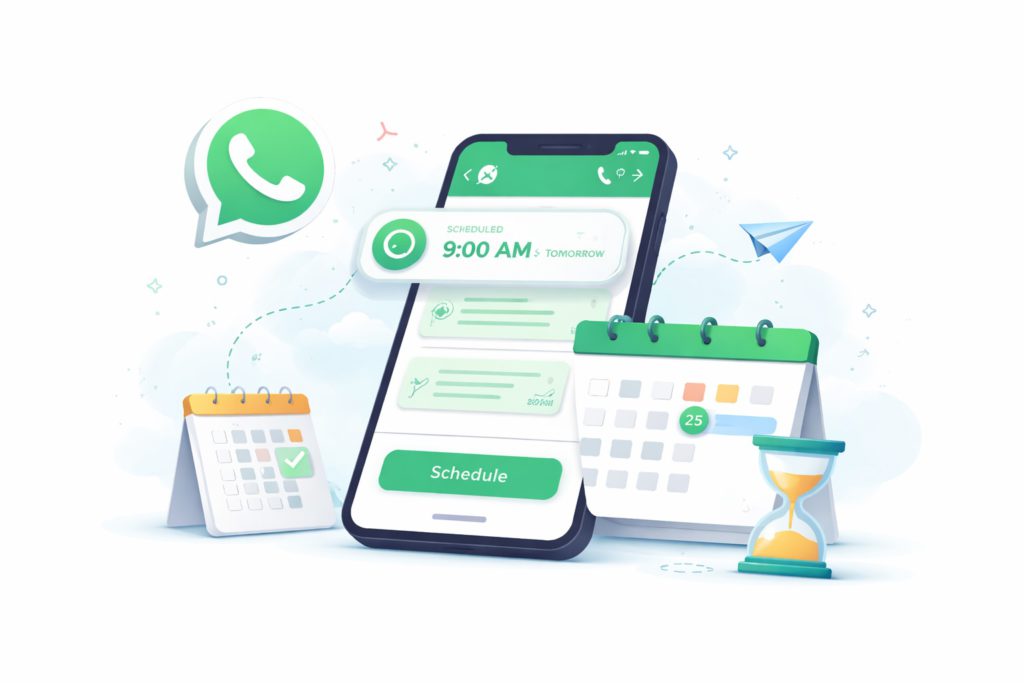
Up till now, WhatsApp doesn’t offer a native way to compose messages in advance and schedule them for later. The new Scheduled Messages feature is set to change that by allowing users to plan messages directly inside the app without needing third-party tools or workarounds.
Deals are rarely closed with a single message. Most sales conversations involve multiple touchpoints, including initial inquiry, product or service information, follow-up, reminder, and final confirmation. The challenge is that many of these messages need to be sent later, not immediately.
For instance, a real estate agent sends property details to a potential buyer as the first touchpoint. The ideal follow-up could be the next day or two days later. In most cases, several follow-ups will be needed before the deal is either closed or the potential customer loses interest.
In normal cases, the agent must remember to send all these messages manually. This can lead to missed follow-ups, delayed responses, and even lost sales opportunities.
A native message scheduling feature on WhatsApp can solve this problem by allowing you to plan all your future communications ahead of time.
What the new Native Scheduled Message Feature will do
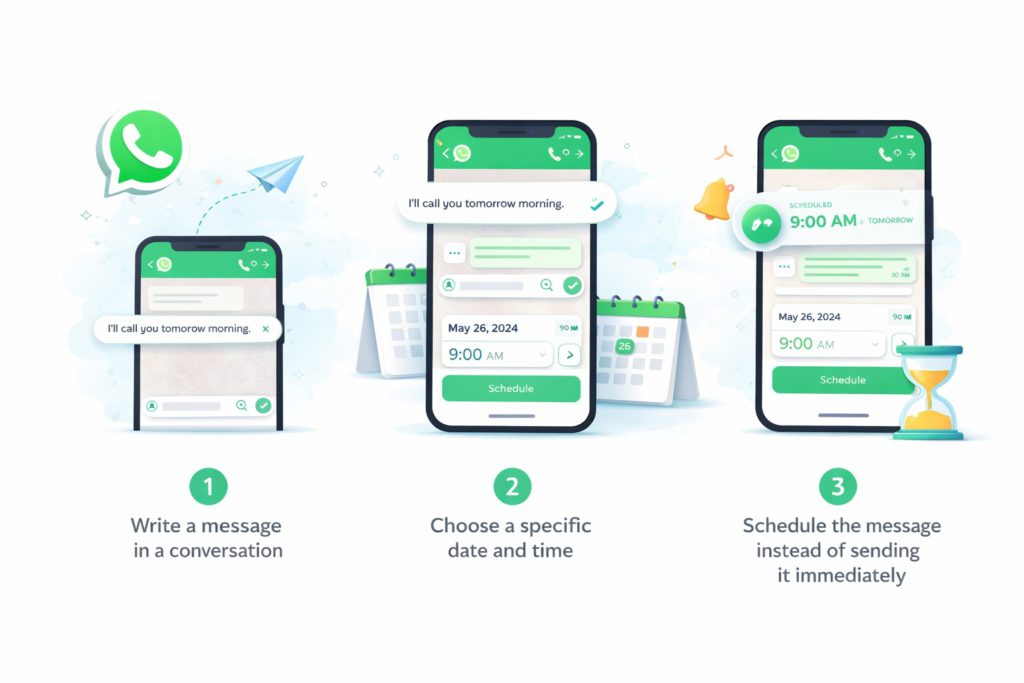
With the new message scheduling feature, WhatsApp will likely offer a built-in scheduling option directly within chats. When available, the feature will allow users to:
- Write a message in a conversation
- Choose a specific date and time
- Schedule the message instead of sending it immediately
The message will then be stored inside the conversation until the scheduled time arrives. When it’s time, WhatsApp will automatically send the message. Users will also be able to view scheduled messages, edit them, and cancel them before they are sent.
How Scheduled Messages improve lead management

A typical sales conversation often involves several follow-ups.
For example, a potential customer might fill out a form as the first touchpoint. The salesperson responds with details and sends a brochure.
The next step is usually a follow-up, perhaps on day two. If there’s no response, another follow-up might be sent on day five, followed by additional check-ins before finally closing the conversation. Sometimes these communications can spread across months, especially for big-ticket items like properties.
Without a scheduling feature, salespeople must remember to manually send each of these messages. Missed follow ups can cost sales because many customers only respond after the third or fourth follow-up.
With scheduled messages, however, salespeople could prepare follow-ups in advance and ensure no lead is forgotten. This can result in more consistent communications, higher conversion rates, and more efficient sales processes.
When will WhatsApp Scheduled Messages launch?
WhatsApp typically tests new features internally before rolling them out to beta testers and eventually to the public. There is currently no confirmed release date, but its appearance in beta builds suggests it may arrive in a future update.
The feature has been discovered in beta versions of WhatsApp for iOS, but it’s still under development.
Potential limitations to consider
Scheduled messages can be super useful for managing business conversations, but they should be used thoughtfully. WhatsApp enforces strict Terms of Use, and usage of this feature will likely come with rules you must follow. For example, sending spam or excessive unsolicited messages is not allowed.
Also, keep in mind that too many follow-ups can quickly become annoying, and poorly timed reminders may feel intrusive. If recipients report your messages as spam, or simply do not reply, you could risk getting restricted or even losing access to your WhatsApp account.
The best approach is to use scheduled messages for helpful, relevant, and well-timed communication.
How to schedule message on WhatsApp without a built-in scheduler

WhatsApp does not currently offer built-in scheduling, but there are a few alternatives you can try.
1. Manual Reminders
You can simply set reminders on your phone or in your CRM.
Example workflow:
- Send a message to a lead
- Create a reminder to follow up tomorrow
- Manually send the next message
This approach works but is easy to forget when handling many conversations.
2. Apple shortcuts automation
On iPhones, you can create automation workflows using the Apple Shortcuts app. This allows you to trigger a WhatsApp message at a specific time.
This method, however, requires technical setup and is not scalable.
3. Third-party scheduling apps
Some Android apps allow message scheduling by using accessibility permissions to trigger messages automatically. While these apps can queue WhatsApp messages, they often raise concerns about privacy, reliability, and app permissions. Also, using such apps can be against WhatsApp’s Terms of Use.
4. Mobile CRM with Official WhatsApp Automations
Mobile CRMs like Privyr can help you schedule and automate WhatsApp messages more effectively. With Privyr, you can schedule follow-up messages for individual leads as well as automate communication for all your leads using Automated WhatsApp Message Sequences.
You can automatically send a series of messages to your leads, from your WhatsApp Business number, by adding them to a WhatsApp Sequence in Privyr.
As Privyr is a verified Meta Business Partner, this Official WhatsApp Integration keeps your account safe and compliant even while automating follow-ups.
While Privyr comes with an additional cost, it provides a simple and user-friendly solution for non-technical users who want to schedule multi-step WhatsApp messages and automate follow-ups.
5. WhatsApp Business API Platforms
WhatsApp Business API platforms allow automated and scheduled messaging. These tools provide advanced capabilities such as chatbots, marketing broadcasts, and automated follow-ups.
However, API solutions are typically designed for larger teams, specifically for broader marketing and customer support automations. They may involve setup costs, platform fees, and technical integrations.
Final Thoughts
If you have been using WhatsApp as a primary business communication tool, the upcoming Scheduled Messages feature may significantly streamline your lead management process. You will be able to improve follow-up consistency, manage leads more effectively, reduce missed opportunities, and communicate more professionally.
If you’re a small business, native scheduling brings a simple form of automation directly into your regular messaging app.