So your WhatsApp Campaign failed to send to some people… While this could happen for a number of reasons, you can easily retry sending the Campaign to failed recipients in one click!
- Just go to your WhatsApp Campaigns page.
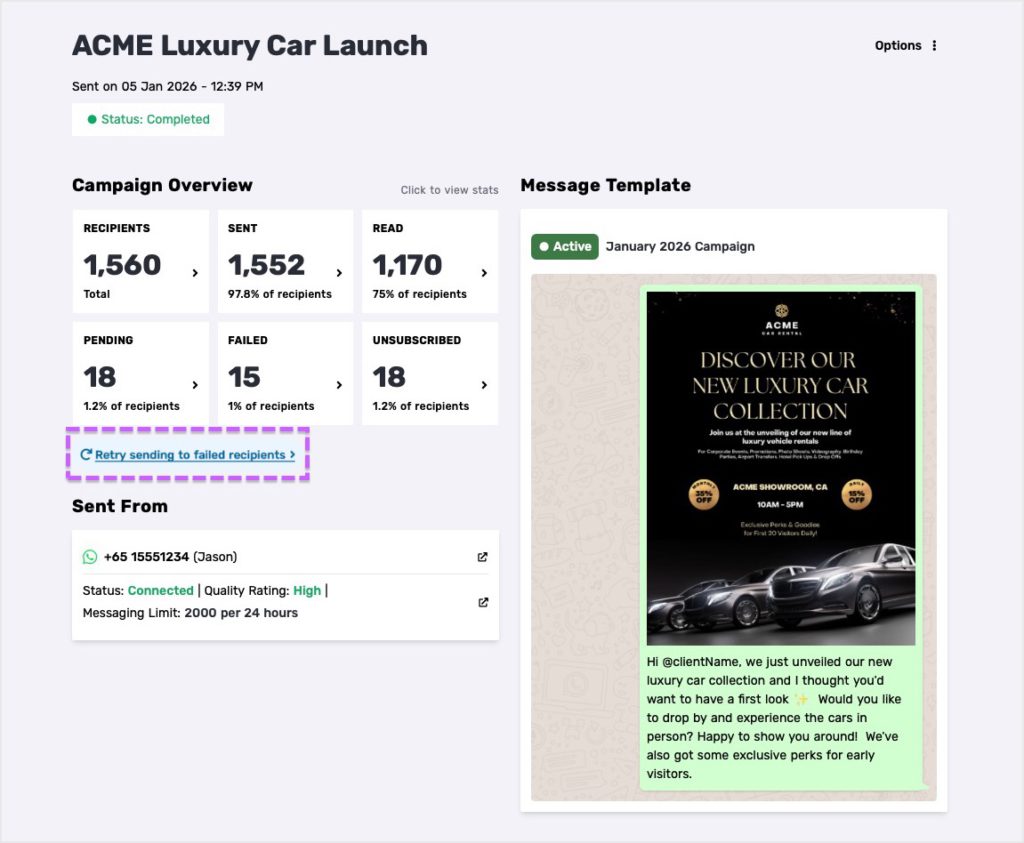
- Open a specific WhatsApp Campaign you’ve sent to see its Overview.
- Click on the “Retry sending to failed recipients” button.
- Once clicked, Privyr will try sending the message again to failed recipients within the same campaign.
You can access this on Privyr web! We hope you found this pro-tip helpful.