Contents
Very few tools including Privyr and WhatsApp Business app provide free autoresponders for iPhone.
If you’re an iPhone user looking for a free WhatsApp auto-reply tool, you’ll find fewer options than Android users. iOS places tighter restrictions on app access and background activity, so notification-based tools that can detect and reply to WhatsApp messages on Android can’t simply use the same workaround on an iPhone.
That can be a good thing since it makes unsupported automation methods less practical and encourages you to use WhatsApp’s official business features or authorised integrations instead. The trade-off is a smaller number of free options. But don’t worry! We have you covered.
This article will discuss the two best free WhatsApp autoresponders for iPhone that actually work and how you can leverage the features they provide for a better sales process.
Best free WhatsApp auto reply tools: A quick glance
| Tool | Best for | Works with | How replies work | iOS support | Risk level |
| Privyr WhatsApp Auto-Responder | Tailored replies for each inbound enquiry, Click-to-WhatsApp ads and lead management | WhatsApp Business, WhatsApp API with coexistence | Official WhatsApp platform, cloud-based rules | Yes | Low |
| WhatsApp Business Auto-Reply | A simple greeting or out-of-office message | WhatsApp Business | Built into WhatsApp Business | Yes | Low |
1. Privyr’s WhatsApp Auto-Responder: Best free iOS autoresponder for tailored replies

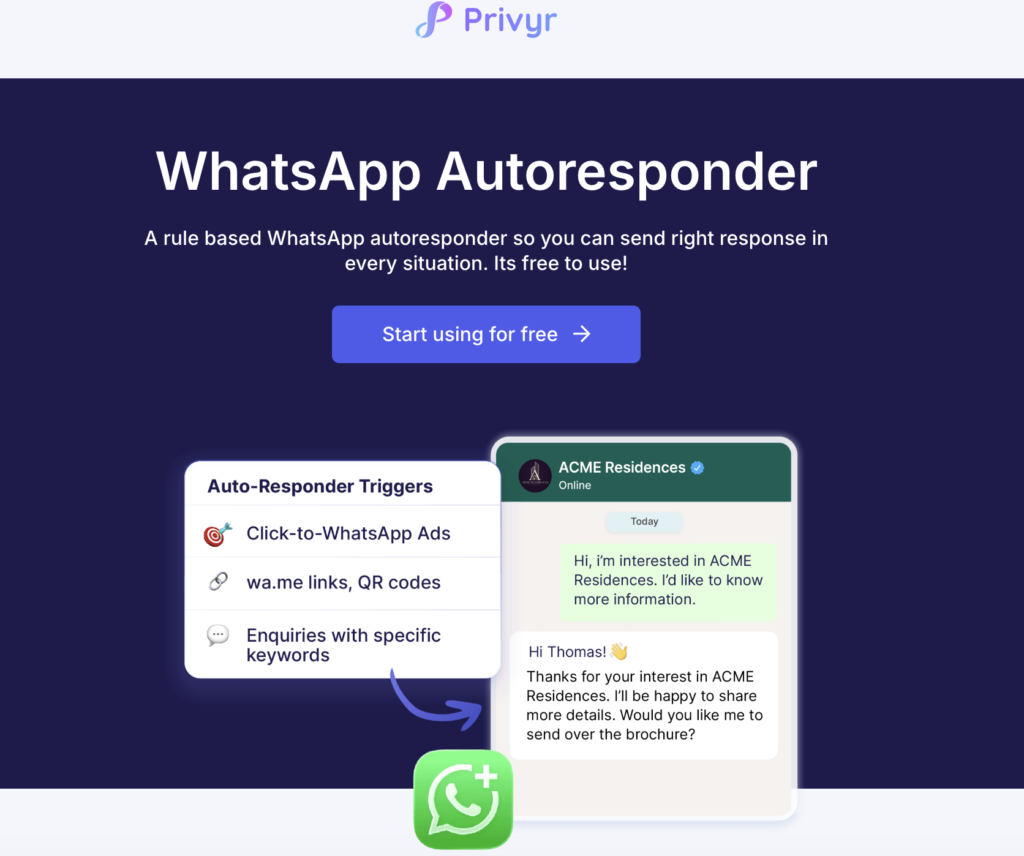
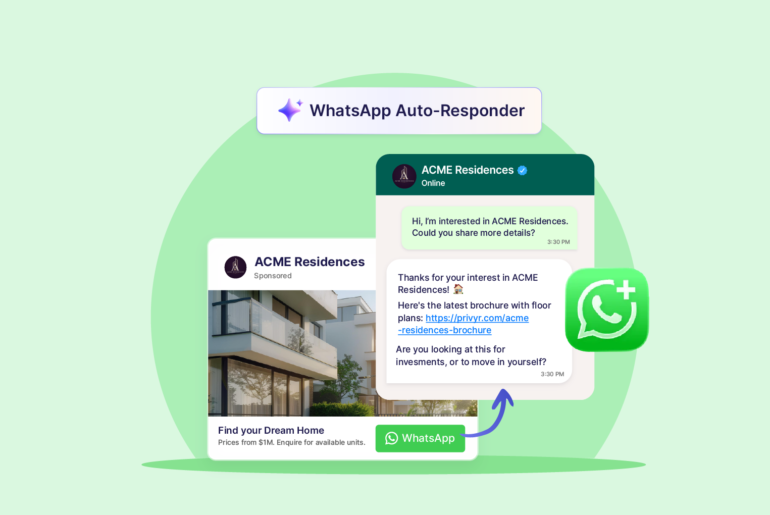
Privyr’s WhatsApp Auto-Responder is a reliable and easy way to automatically respond to inbound WhatsApp enquiries from your iPhone for free. It connects your existing WhatsApp Business number through official Meta channels for automation rather than automating WhatsApp through the iPhone itself.
You can continue using your number in WhatsApp Business app regularly while Privyr manages automated responses in the background through WhatsApp coexistence. Cloud-based operation means replies aren’t dependent on iPhone notifications or whether the phone is actively running the Privyr app.
How Privyr’s WhatsApp Auto-Responder works
Privyr’s WhatsApp Auto-Responder allows you to set up replies based on predefined rules to ensure each inbound enquiry gets an appropriate reply. Auto reply rules determine which incoming enquiries should trigger an automatic response and what message should be sent. Different enquiries can receive different responses instead of every inbound message receiving the same generic reply.
For instance, a pricing enquiry can automatically receive pricing information, while a brochure enquiry can receive the relevant brochure. You can set up rules to respond to particular words or phrases, AI-detected enquiry intent, Meta Click-to-WhatsApp Ads, WhatsApp links and QR-code enquiries, and more.
The best part is that Privyr even absorbs WhatsApp’s per message charges, including the new service message fees that take effect on 1 October 2026 to ensure the autoresponder service is free for its users.
Privyr’s WhatsApp Auto-responder comes with a wide range of features, including:
- Multiple auto-reply rules: Create as many automation rules as you need, so different WhatsApp enquiries receive different responses.
- Message-based triggers: Automatically respond when an incoming message matches, contains, starts with, or ends with specific text.
- Click-to-WhatsApp Ad replies: Send tailored automatic responses to enquiries coming from specific Meta Click-to-WhatsApp Ads.
- WhatsApp links and QR codes: Generate links or QR codes with pre-filled messages that can trigger specific automated responses when the lead sends them.
- Enquiry-based response: Automatically send relevant information based on the product, property, service, campaign, or question a prospect is enquiring about.
- Brochures, price lists and links: Include links to brochures, floor plans, pricing and other useful information directly in automated responses.
- Automated qualifying questions: Ask prospects questions about their budget, preferences, requirements or other qualifying information as part of the response.
- Selective automation: Choose which enquiries to automate so personal chats or conversations you prefer handling manually remain unaffected.
- 24/7 background responses: Automatically respond while you’re busy or offline, without relying on your phone’s notification system.
- Existing WhatsApp Business number: Connect your current WhatsApp Business number and continue using the WhatsApp Business app normally while Privyr handles automated responses in the background.
It’s the only free auto-reply tool for iOS that offers professional-grade features at this scale.
Here’s how to set up Privyr’s WhatsApp Auto-Responder on iOS:
- Visit privyr.com and create your Privyr account.
- On Privyr Web, go to your Automations tab.
- Select WhatsApp Automations and go to Inbound Inquiry Auto-Responder.
- Connect your existing WhatsApp Business number if you haven’t already.
- Click Create Rule.
- Set your trigger and automated response.
- Create as many rules as you need for the enquiries you commonly receive.
2. WhatsApp Business Auto-Reply: Best free iOS auto-reply tool for basic replies

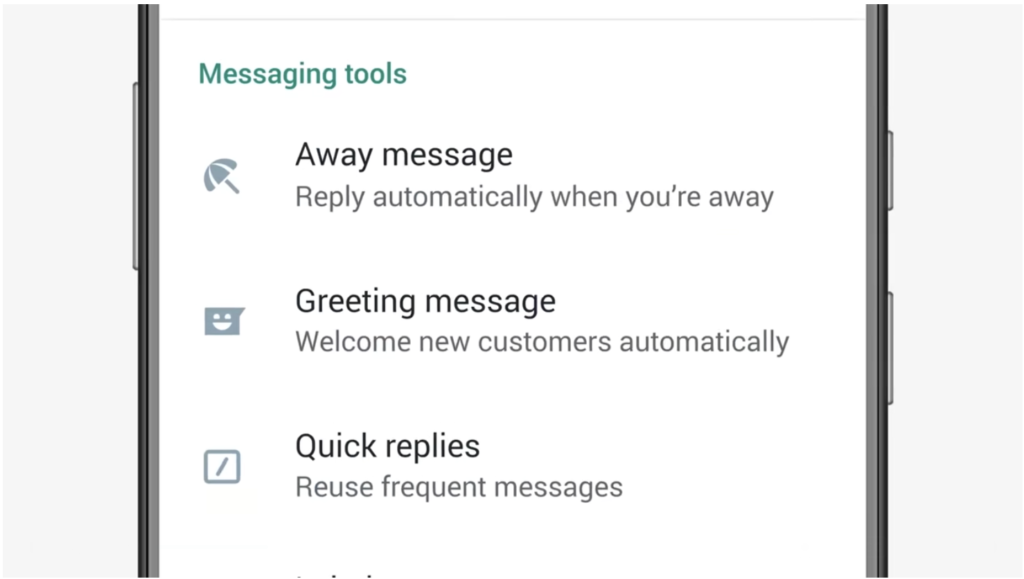
If you want a simple auto-reply within the app, WhatsApp Business comes with a default Auto-Reply feature. It allows you to automatically send generic responses to incoming messages for free. Unlike Privyr’s intent-driven responses, these are simple automatic replies that acknowledge incoming messages or inform customers that you aren’t currently available.
This functionality built directly into the WhatsApp Business app on iPhone doesn’t require another autoresponder service.
There are two types of automatic replies you can set up on WhatsApp Business: Greeting Messages and Away Messages
Greeting Messages automatically welcome people when they contact you for the first time. These can also be sent when a customer starts a conversation after an extended period of inactivity. A greeting message can be useful to confirm users that the enquiry has been received.
Away Messages on the other hand can be used to automatically respond to inbound enquiries when you’re unavailable. When people message you outside business hours, during holidays, or during periods when the team cannot respond immediately, these messages automatically let the customer know when they should expect a human response.
Here’s how to set up WhatsApp Auto-Reply on iOS
- Open WhatsApp Business on your iPhone.
- Go to Settings>Business Tools.
- Choose Greeting Message or Away Message.
- Turn on the message and write your reply.
- For an Away Message, choose whether it runs always, during a custom schedule or outside business hours.
- Choose the recipients and save.
Limitations of WhatsApp Auto-Reply
WhatsApp Auto-Reply can be a reliable option for automatically responding to inbound messages for free. But it’s very basic. If your business receives a lot of enquiries and you want dynamic replies tailored for each response, this feature feels too simple.
Here are some limitations of WhatsApp Auto-Reply:
- WhatsApp Auto-Reply is a generic automatic responder rather than a full rule-based autoresponder.
- Different enquiries asking about different things receive the same automatic message.
- It doesn’t provide extensive keyword, campaign, product, or enquiry-specific automation.
- It provides limited support for automatically progressing a sales conversation.
Honorable mention: Autoresponder for WA
AutoResponder for WA provides a free iOS app, but it does not offer the same fully automatic experience as a cloud-based WhatsApp autoresponder.
On iPhone, its workflow requires you to enter the number and message, then tap Send to open the WhatsApp chat. This makes it more useful as a quick-reply or click-to-send tool than a practical background autoresponder.
The tool may be helpful if you want to message unsaved numbers faster while you are actively managing your chats. However, it will not work as a complete auto reply tool that sends instant replies when you are busy, offline or outside business hours.
Autoresponder for WA is designed to better suit Android, where its automation features work on notification-based replies. But it doesn’t use WhatsApp’s official channels, meaning it comes with account-compliance and reliability risks for business messaging.
Can you use Apple Shortcuts as an iPhone autoresponder?
Apple Shortcuts is free and can run personal automations based on selected events. This includes certain message triggers. However, it is not a replacement for a WhatsApp autoresponder.
Shortcuts can be useful for personal, tightly controlled automations, for example, responding to a specific SMS trigger or turning on a work routine at a certain time. It can’t be used to automate replies for WhatsApp enquiries at scale.
If you want to set up an automatic WhatsApp auto-reply on your iPhone, use WhatsApp Business for a basic response and Privyr for free rule-based replies.
Conclusion
Most auto-responder tools for iPhone come with paid plans and additional WhatsApp per-message costs. If you only need to let customers know that you have received their message while you are unavailable, WhatsApp’s built-in Auto-Reply can work fine.
However, if you need to send different automatic replies based on the enquiry and share relevant brochures or price lists, use Privyr’s WhatsApp Auto-Responder. It gives you the flexibility to automate the responses to incoming messages with relevant answers the leads want to hear. Your leads stay warm regardless of your availability to respond personally.
Try Privyr for free today to turn WhatsApp enquiries into organised follow-up.
Frequently asked questions
Yes. WhatsApp Business comes with a free built-in Auto-Reply feature. For more tailored WhatsApp replies, Privyr offers WhatsApp Auto-Responder for free. It works with WhatsApp Business on iPhone.
Yes, you can automatically reply to WhatsApp messages on iPhone through WhatsApp Business built-in Auto-Reply feature or an official WhatsApp Business integration like Privyr.
Privyr’s WhatsApp Auto-Responder is one of the very few free auto reply tools that offer different rules and responses for different WhatsApp enquiries, such as a price request, a Click-to-WhatsApp ad or a QR-code enquiry.
WhatsApp Business Auto-Reply feature is tied to the app, so it might not work when your iPhone is switched off. A cloud-based official integration like Privyr’s WhatsApp Auto-Responder can continue running independently of your phone.
Many Android autoresponder apps are designed around Android’s notification access to reply to WhatsApp messages. That notification-based architecture does not translate to iOS.